Report Package Overview
What is included in a completed analysis package.
Completed runs write their artifacts under a run-scoped output directory:
<output-root>/<run_id>/
This page describes the major artifact families an operator or auditor should expect to find in that folder.
Output structure at a glance
| Artifact | Typical location | Primary audience | Purpose |
|---|---|---|---|
| Run summary | results/summary.json | Operator, auditor, integrator | High-level run outcome and top-line results |
| Module plan | plans/*_module_plan.json | Operator, auditor | In-scope modules, tier compliance, and claim acceptance |
| Metrics | results/metrics.json | Operator, downstream automation | Structured machine-readable metrics |
| HTML reports | results/*.html | Operator, customer-facing decision workflow | Human-readable report package |
| Run manifest | run_manifest.json | Auditor, operator | Configuration, run identity, and runtime metadata |
| Input hash manifest | inputs/input_hashes.json | Auditor, operator | Per-input integrity mapping |
| Pre-seal metadata | preseal.json | Auditor | Inputs to the final sealing step |
| Seal bundle | seal/seal.json, seal/seal.sig, seal/seal.svg | Auditor, customer, verifier | Integrity and verification artifacts |
Summary and metrics artifacts
Use the structured JSON files when you need stable machine-readable outputs for automation, indexing, or downstream integrations.
Common files in the example bundle include:
results/summary.jsonresults/metrics.json
Treat these as the fastest way to understand whether a run completed and what the top-level signals were.
HTML report artifacts
The runner can emit multiple HTML reports depending on release and packaging. Common examples include:
results/phase5_combined_report.htmlresults/phase5_comprehensive_report.htmlresults/phase5_unified_report.htmlphase_5_computational_safety.htmlphase_5_conclusion_decision.html
File names can vary by release, but the product role is stable: these artifacts are the main human-readable review surface.
Example report panels
The report_images/ directory in this docs repo contains representative report screenshots that help anchor the abstract artifact names to the actual review surface.
Target biology risk summary
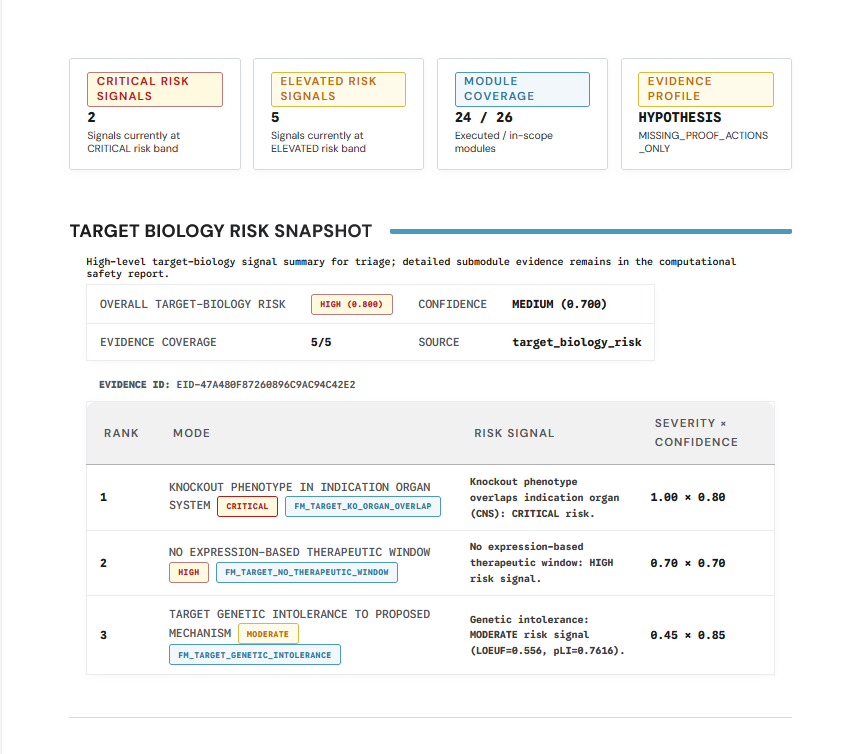
Use summary-style panels like this for the first pass through a report section. They show the top-line verdict and the major evidence drivers without forcing the reader into detailed justification immediately.
Target biology risk detail
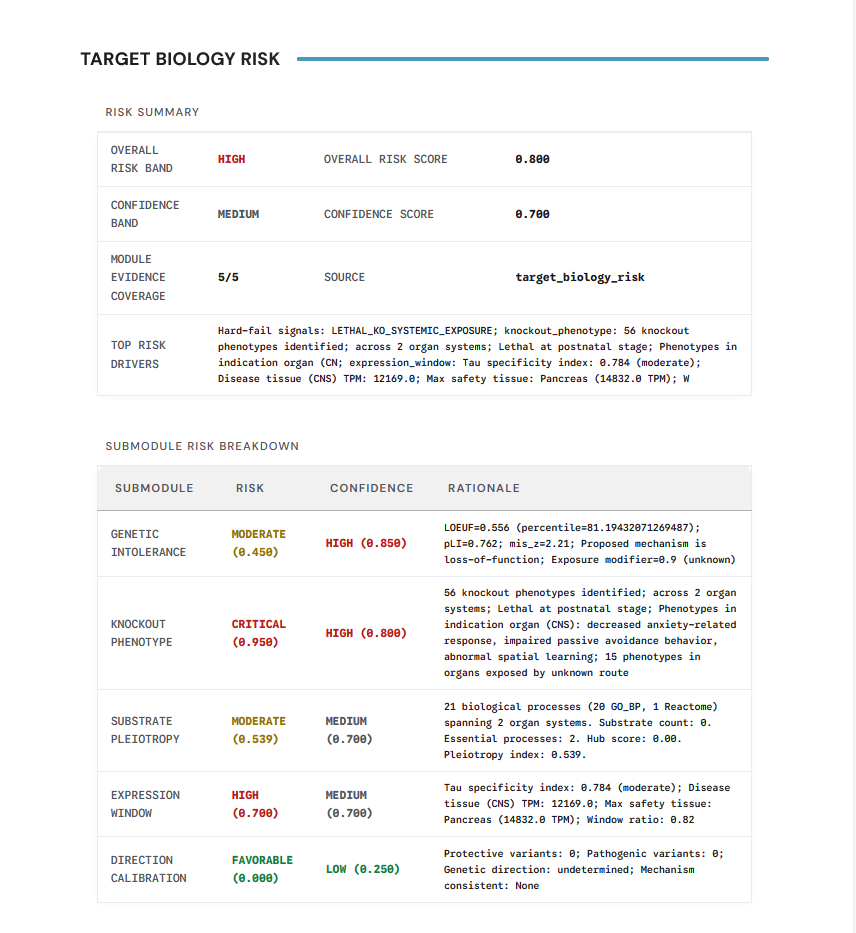
Detailed panels are the second-pass view. They matter when an operator or auditor needs to understand why a domain-specific section was scored the way it was and what evidence or missingness drove the result.
Clinical precedent panel
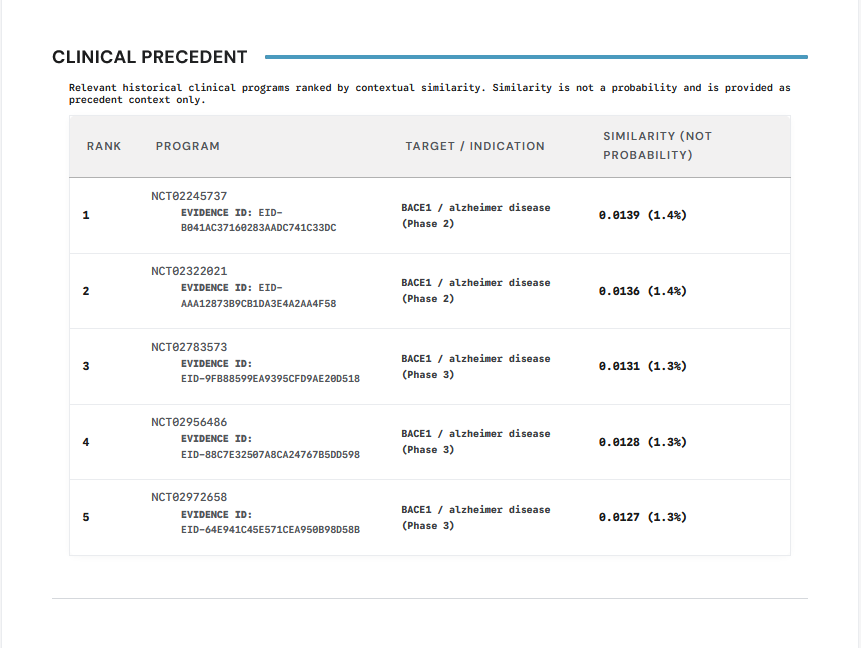
Clinical precedent is presented as a report-native section rather than a buried raw artifact. That is useful because precedent often shapes the interpretation of aggregate risk even when it is not the only driver.
Projected failure modes panel
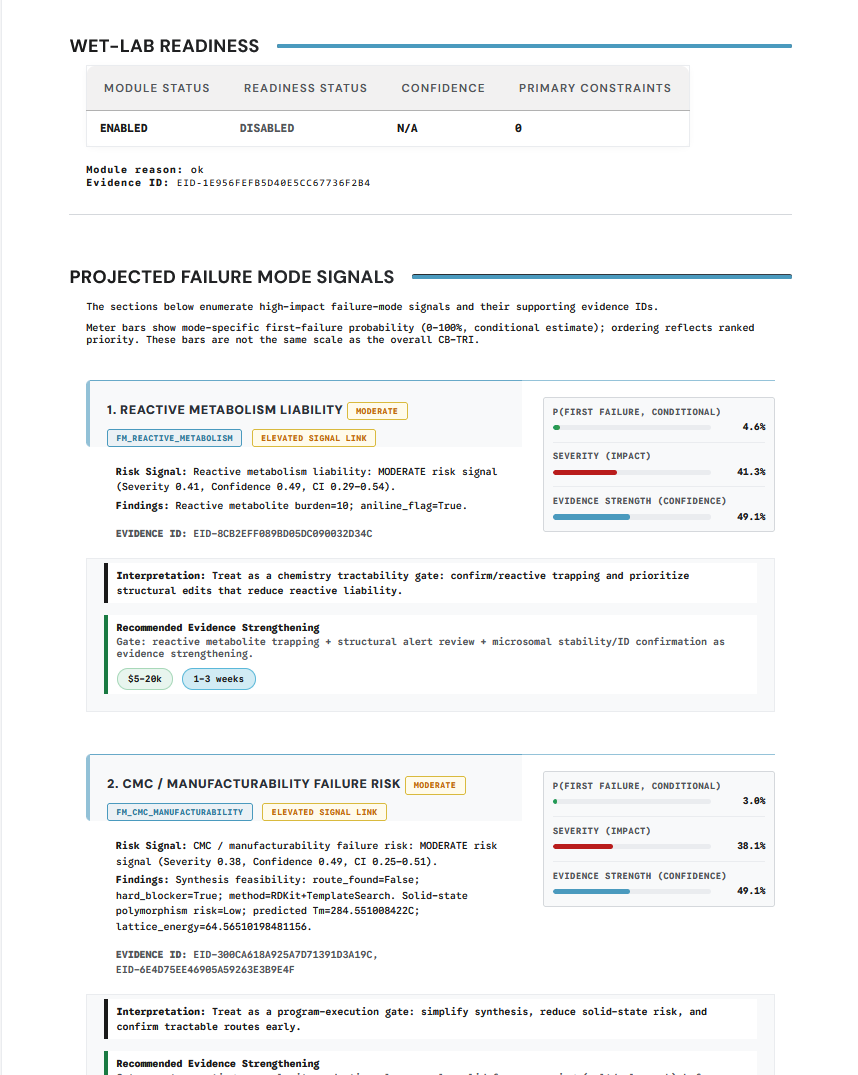
Failure-mode views are where the report shifts from descriptive evidence to decision-relevant risk framing. Operators and auditors should expect these panels to explain why a package should proceed, pause, or escalate.
CB-TRI panel
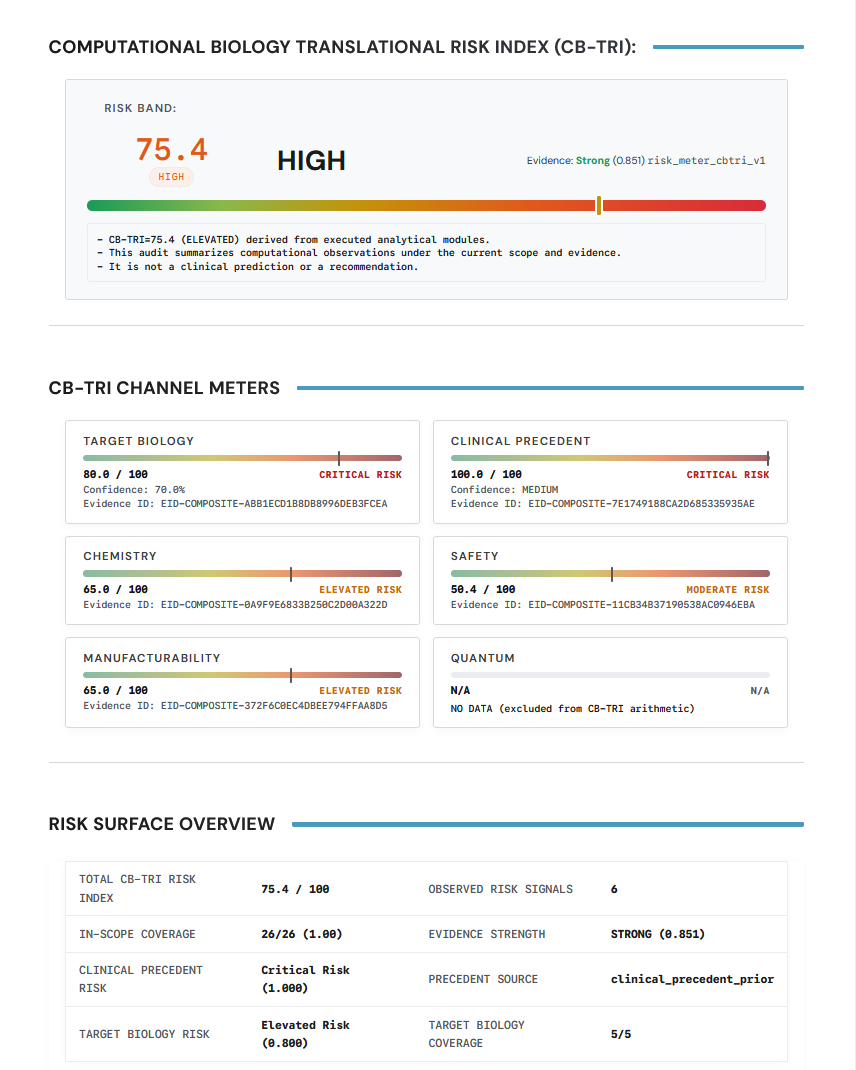
CB-TRI-style panels are the top-line synthesis view. They are useful for fast triage, but they should always be read together with the underlying risk channels and coverage context.
Verification-oriented artifacts
The verification set normally includes:
run_manifest.jsoninputs/input_hashes.jsonpreseal.jsonseal/seal.jsonseal/seal.sigseal/seal.svgseal/VERIFY.md
The current example bundle is still in a pre-verification state, so it includes seal/preseal.json and reports seal_status=pending_online_verification. Final seal artifacts appear only after the online completion and verification step succeeds.
How to use the package
Recommended reading order:
- Review
results/summary.jsonor the top-level summary in the HTML report - Read the human-facing HTML report for context and interpretation
- Inspect
run_manifest.jsonwhen you need to confirm the exact run identity and configuration - Use the seal bundle when you need to validate provenance or support a rerun-verification workflow
For the audit-specific view, see Reproducibility Pack and Verification Seal.