Interpret Results
How to move from a finished run to actionable decisions.
The output bundle is designed to be read in layers. Start with the decision-oriented summary, then descend into coverage, evidence, and provenance only as far as the current question requires.
Recommended reading order
results/summary.jsonresults/phase_5_fastfail_summary.jsonor the matching HTMLresults/phase_5_computational_safety.htmlresults/risk_channels_map.jsonresults/evidence_state_machine.jsonplans/*_module_plan.jsonrun_manifest.jsonand the reproducibility artifacts
What each layer answers
Summary
summary.json gives the top-line outcome:
- aggregate risk band
- technical integrity risk band
- CB-TRI score and band
- evidence status
- category preset and resolution
- seal status and tamper status
This is the fastest way to determine whether the run is low risk, elevated, unresolved, or missing final verification.
If you are reviewing the rendered report first rather than the JSON, the CB-TRI and summary-style panels serve the same role:
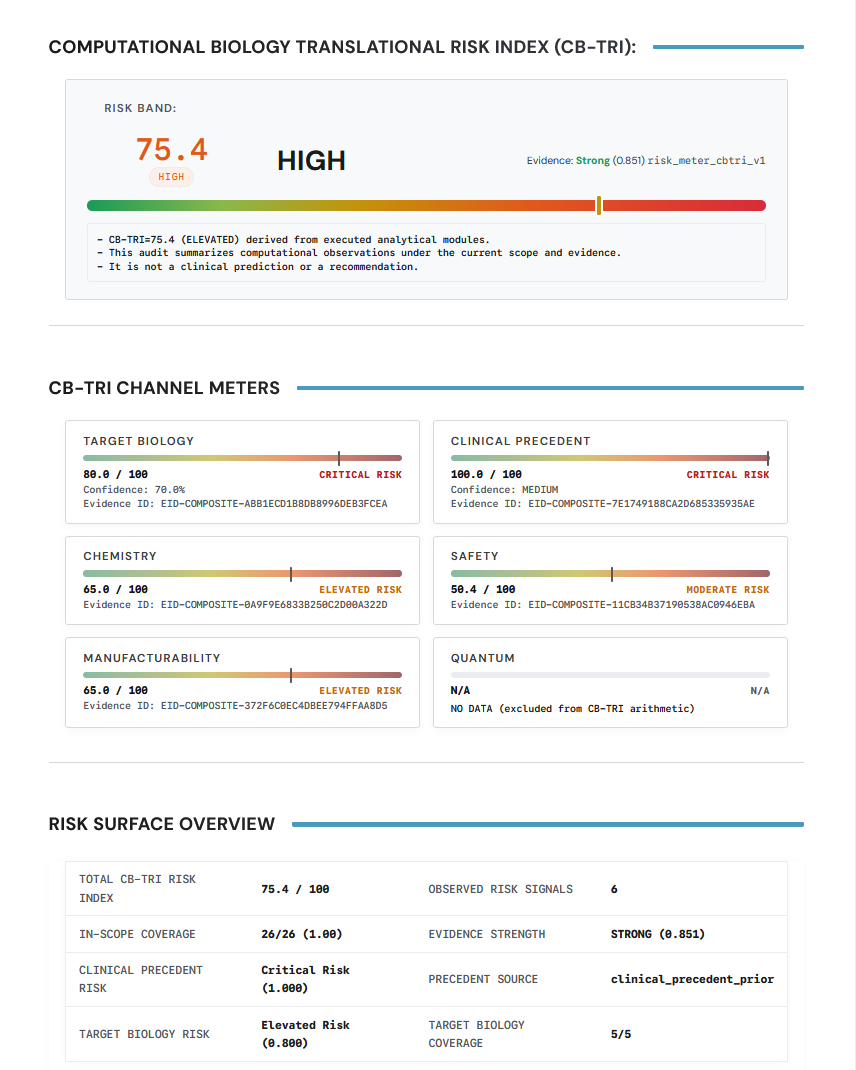
Use the score and band for orientation, then move down into the underlying channels before treating it as decision-ready.
Fast-fail summary
The fast-fail summary explains why the run should stop, escalate, or proceed cautiously. In the example bundle it includes:
- prioritized risk signals
- missing proofs
- unresolved evidence
- out-of-scope modules
- tier compliance
- evidence coverage
- recommended next checks
The projected-failure-modes section is usually the most direct visual expression of this layer:
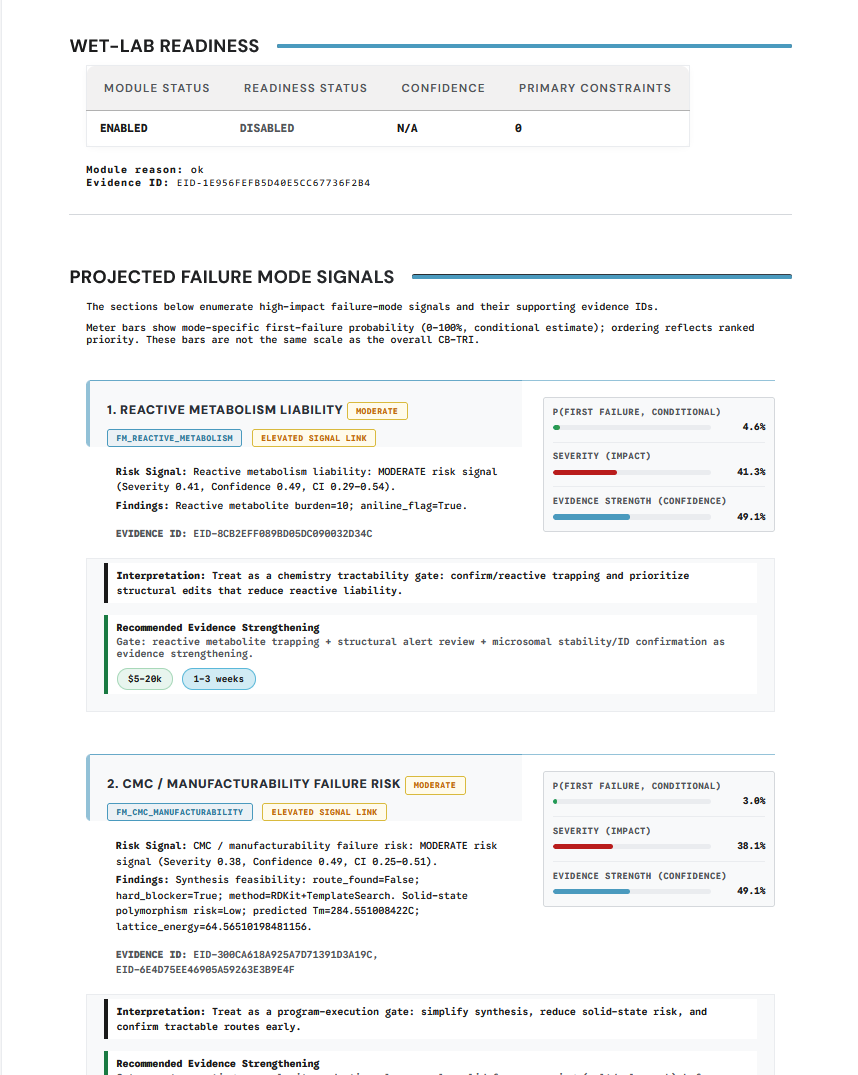
This is the section to read when the key question is not "what is the score?" but "what is likely to fail next and why?"
Full computational safety report
The full HTML report is the human-readable narrative layer. Use it after you know the high-level verdict and want the report framing rather than just the machine fields.
Common examples in the rendered report include domain-specific panels such as:
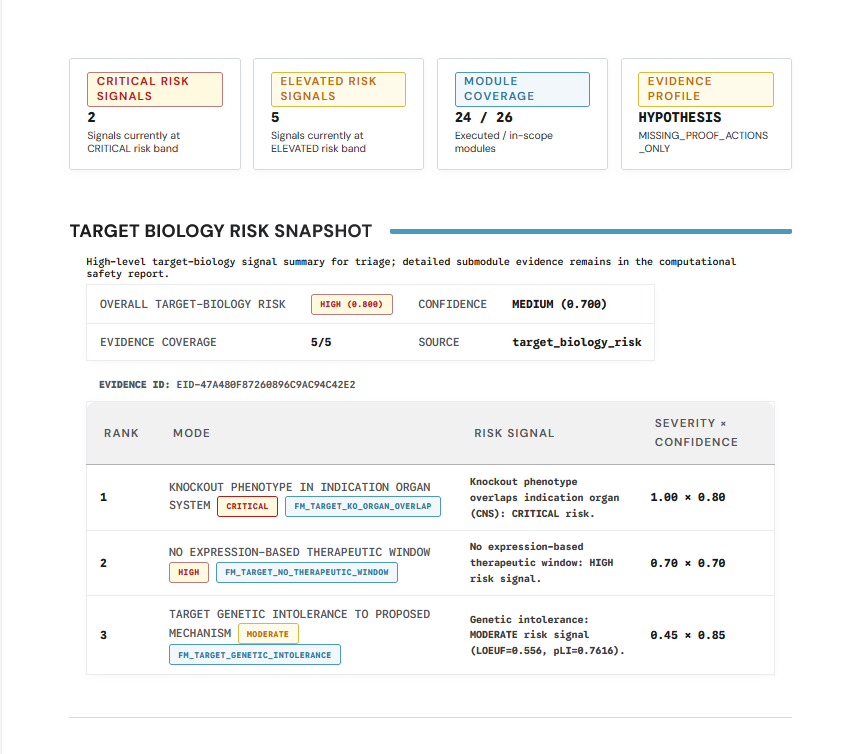
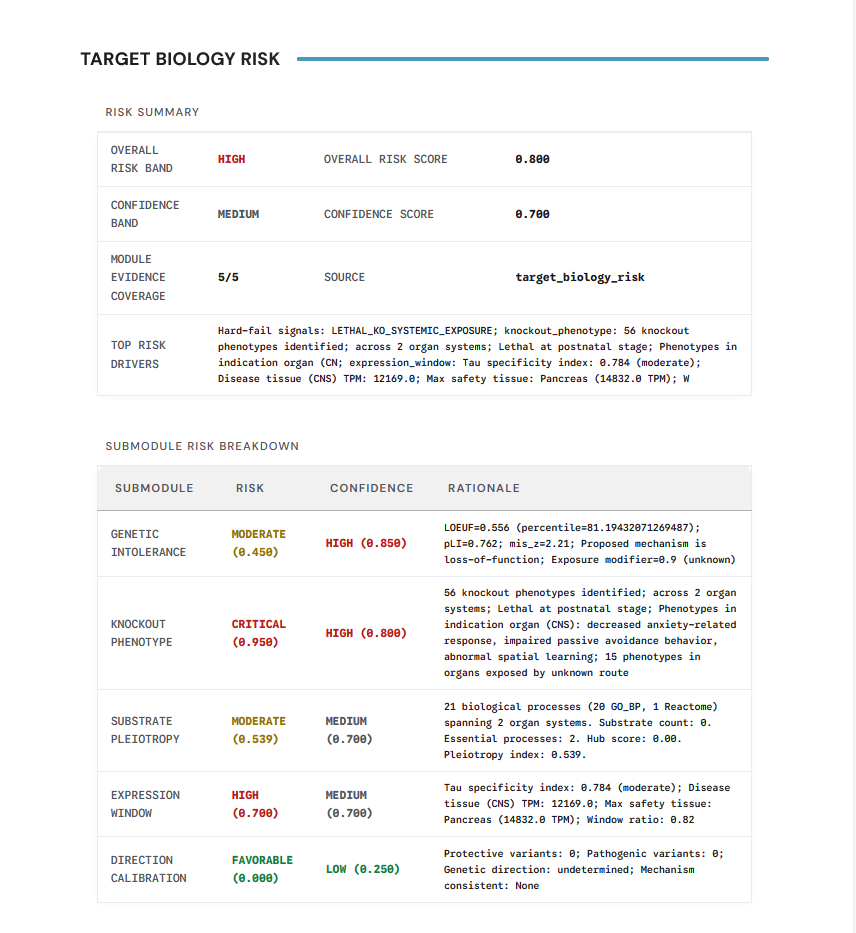
Evidence and coverage
When you need to understand why a claim was downgraded or left unresolved, inspect:
evidence_state_machine.jsoncontext_of_use.jsonclaim_acceptancetier_compliance
These files explain not just what ran, but whether the run supports a claim category at the requested confidence level.
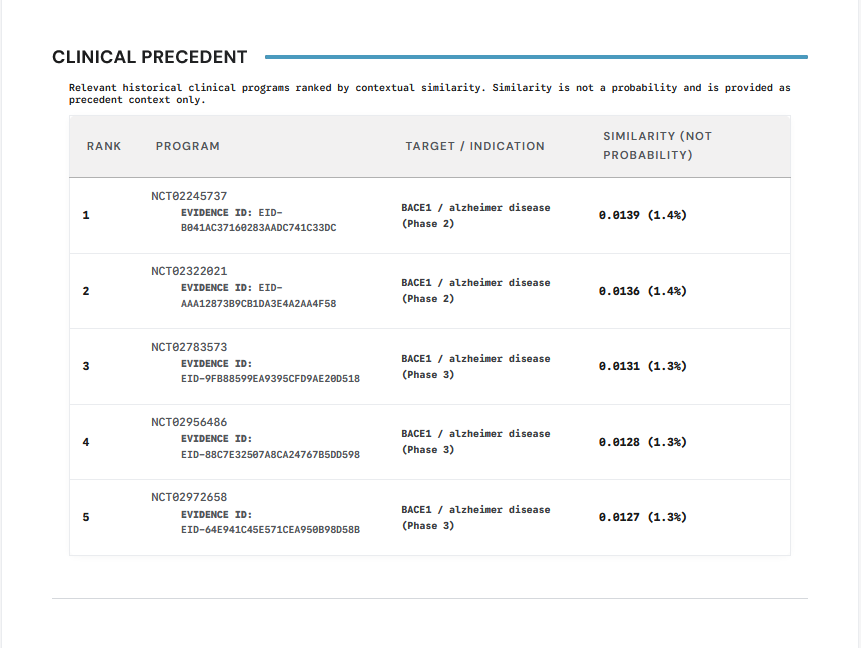
Clinical precedent is another example of a section that should be interpreted as evidence context rather than as a standalone decision:
Provenance and reproducibility
When you need to support review, export, or replay, move to:
run_manifest.jsoninputs/input_hashes.jsonseal/preseal.jsonrepro_pack/
Goal
A reader should leave this page knowing which artifact to consult for:
- top-line risk
- failure drivers
- evidentiary gaps
- claim acceptance
- audit and replay support